How to Build a Bill Calendar for Your Checking Account: Paydays, Autopay, and a Safe-Balance Schedule
Learn how to build a bill calendar that combines due dates, paydays, autopay, settlement timing, annual expenses, and a safe checking balance.
.png)
To build a bill calendar for your checking account, record every expected income and payment event on the date it should affect available cash, not only the date printed on a bill. Include paydays, due dates, scheduled autopay dates, expected checking debits, variable amounts, annual obligations, and a weekly review date.
Then connect the calendar to a safe-balance rule. The calendar shows when checking needs money. The safe balance defines how much cash should remain protected while those events occur.
The result is more useful than a monthly list of bills. It becomes a checking-account operating schedule that can answer three decisions: what must stay in checking, what is safe to spend, and what cash may be genuinely idle.
TL;DR
- A bill calendar is a dated record of income and payment obligations. A useful checking calendar tracks when cash should become available and when it may actually leave the account.
- Record at least five fields for each bill: biller, expected amount, due date, payment method, and expected checking debit date.
- Add paydays and other dependable income events. The Federal Reserve reported that 30% of adults had income that varied at least occasionally in 2025, so uncertain income should use a conservative date or a separate scenario.
- Separate fixed bills, variable bills, credit-card autopay, annual obligations, and manual payments. They create different forecasting risks.
- Review the calendar weekly. The Consumer Financial Protection Bureau bill-calendar method recommends recording what each bill is for, the amount owed, and the due date, then placing the calendar where it can be checked every week.
- Use the calendar to identify the projected low point in checking. The low point, uncertainty allowance, and comfort amount should inform the safe balance.
- Rivo becomes relevant after the calendar shows a recurring idle layer. You keep your existing bank, set the minimum checking threshold you want protected, and eligible idle cash can move into short-duration U.S. Treasury Bills through Jiko Securities while Rivo plans around bills.
Bill Calendar Quick Reference
A complete system uses the bill calendar as the event map, a forecast as the arithmetic, and the safe balance as the policy boundary.
What Is a Bill Calendar?
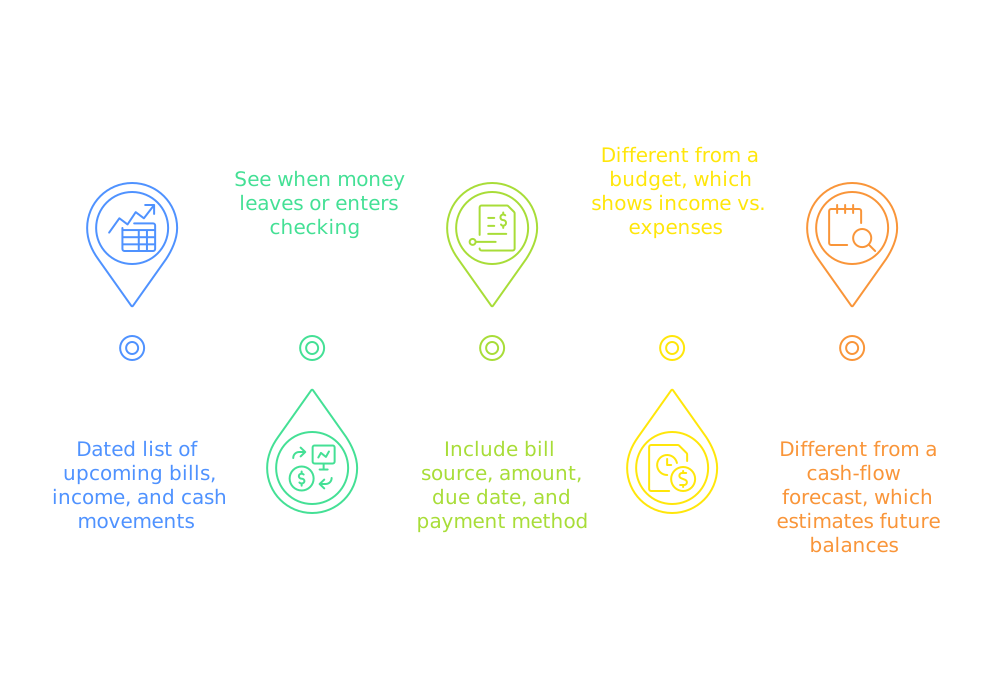
A bill calendar is a schedule of expected financial obligations organized by date. For checking-account management, it should also include income dates, payment methods, expected debit dates, and whether each amount is fixed, variable, or uncertain.
The CFPB bill-calendar process begins with three simple data points:
- what the bill is for
- the amount owed
- the due date
Those fields are enough to stop forgetting bills. They are not always enough to protect checking.
A checking calendar needs operational dates
The date printed on a bill may not be the date checking loses money. A card payment can be scheduled on the due date and appear in checking later. A utility may notify you before a variable automatic debit. A bank bill-pay instruction may need to be sent before the date the biller must receive payment.
Add these fields:
The extra fields turn a reminder into an operating control.
A bill calendar is not a budget
A monthly budget can show that income exceeds expenses while checking still runs short in the middle of the month. The calendar exposes the sequence.
For example, an illustrative household may earn more than it spends over a full month but have rent, childcare, insurance, and credit-card autopay leave before the next paycheck. The budget is positive. The timing is tight.
The CFPB cash-flow budget addresses this distinction by placing income and expenses in weekly periods and carrying each ending balance into the next week.
A bill calendar is not a forecast
The calendar supplies the dated events. A forecast adds and subtracts those events from a starting balance.
If you already have a dependable list of events and need the arithmetic, use the full guide to forecast your checking account balance. This guide focuses on building and maintaining the source calendar that makes the forecast trustworthy.
Why a Monthly List of Bills Fails
A monthly bill list fails when it records obligations without recording how money reaches and leaves checking.
It uses one date for a multi-stage payment
Many payments have several relevant dates:
1. statement or notice date
2. due date
3. scheduled payment date
4. initiation date
5. expected checking debit date
6. posting or settlement date
These are workflow stages, not interchangeable labels.
The point is not to predict a payment network perfectly. The point is to protect cash through the latest reasonable debit date.
.svg)
It ignores paydays
Bills do not fund themselves. A calendar that lists only outflows cannot show whether the checking account can survive the sequence.
Add:
- payroll availability dates
- partner or spouse payroll dates
- benefit deposits
- scheduled transfers into checking
- dependable recurring income
- conservative dates for irregular income
The Federal Reserve found that 11% of adults struggled to pay bills in 2025 because income varied. When an inflow is uncertain, the safer calendar uses the later plausible availability date or excludes the inflow from the base case.
It treats autopay as invisible
Autopay removes the act of paying. It does not remove the need to reserve cash.
The CFPB explains that automatic debit and recurring bank bill pay are different workflows:
- With automatic debit, the company is authorized to pull money from the account.
- With recurring bank bill pay, the bank or credit union is instructed to send the payment.
The party controlling initiation changes what you need to verify.
It forgets annual and irregular obligations
Property tax, insurance, memberships, tuition, estimated taxes, professional fees, travel, repairs, and medical payments can sit outside a normal monthly view.
A recurring annual bill is not unexpected merely because it is infrequent. Add it to the calendar, assign a reserve, and include it before calculating idle cash.
It shows due dates but not account ownership
Households with several checking accounts can know that a bill exists and still fund the wrong account.
Every bill needs a source-account field. This becomes especially important when a household uses one account for bills and another for everyday spending.
What Information Should You Gather Before Building the Calendar?
Start with records, not memory.
Gather the source documents
Use:
- current checking activity
- issued credit-card statements
- biller portals
- payroll calendar or paystubs
- loan and mortgage schedules
- insurance renewal notices
- tax-payment schedules
- subscription records
- bank transfer schedules
- prior annual bills
- shared household notes
The calendar should reflect the agreement, statement, or completed transaction history available for each event.
Build a bill inventory
Do not estimate an amount when a current statement is available. Do not treat an old recurring amount as fixed if recent history shows meaningful variation.
Choose one system of record
The calendar can live in:
- a paper calendar
- a shared digital calendar
- a spreadsheet
- a budgeting app
- a bank bill-pay view
- a cash-management workflow
Choose one primary record. If the same bill appears in three places, identify which place is authoritative and which places are reminders.
How Do You Build a Bill Calendar Step by Step?
The following method is an editorial operating framework. Adapt the labels and review frequency to your accounts.
Step 1: Start with a rolling window
Begin today and include at least one complete pay and bill cycle. A rolling window is more useful than waiting for the first day of a month because paydays and bill clusters do not reset with the calendar.
Extend the window when:
- an annual obligation is approaching
- a large card statement has not closed
- income is irregular
- travel or a home project is planned
- a tax payment sits just outside the normal view
The objective is to include every obligation that can reasonably change the checking decision.
Step 2: Enter dependable income by availability date
Add cash when it should be available to use, not when an invoice is sent or payroll is discussed.
For shared households, record the owner of each income event and the account receiving it.
Step 3: Enter fixed recurring bills
Fixed bills are the easiest starting point:
- rent or mortgage
- fixed loan payments
- childcare contract
- recurring insurance payment
- fixed subscription
- membership
- scheduled account contribution
Record the due date, scheduled payment date, expected checking debit date, payment method, and source account.
Step 4: Enter variable bills
Variable bills require an update rule.
Examples include:
- credit-card statement balance
- electricity
- gas
- water
- mobile or usage-based service
- medical payment
- tax payment
- reimbursement-linked expense
Use the current issued amount when available. Before the statement or bill is issued, use a clearly labeled planning estimate based on recent normal history.
The CFPB notes that a company generally must provide notice at least 10 days before a scheduled automatic payment when the amount differs from the authorized amount or range, or from the most recent payment. Read the notice and update the calendar rather than assuming last month's debit will repeat.
Step 5: Enter credit-card autopay from the issued statement
Credit-card spending and checking cash movement happen at different times.
Use:
- statement closing date
- issued statement balance
- payment due date
- autopay setting
- scheduled payment date
- expected checking debit date
- linked checking account
Do not subtract card purchases from checking and then subtract the full card autopay again unless you are intentionally modeling both accounts. For a checking-only calendar, the card payment is the cash outflow.
For the full workflow, read why checking drops after credit-card autopay.
Step 6: Add annual, quarterly, and one-time obligations
Create a separate review for obligations that do not appear every month.
Cash assigned to a known future obligation is not idle cash.
Step 7: Add routine checking spending
Not every outflow has a bill.
If debit-card purchases, cash withdrawals, groceries, transportation, pharmacy, or other routine spending leave checking directly, add a daily or weekly allowance to the schedule.
Use actual recent checking history. A calendar that includes mortgage and payroll but omits routine spending will overstate the amount available above the floor.
Step 8: Add status and confidence
Each event should show both workflow status and data confidence.
Use confidence labels such as confirmed, estimated, and uncertain. Do not let an uncertain inflow offset a confirmed bill without a separate warning.
Step 9: Set a weekly review appointment
The CFPB recommends checking the bill calendar weekly. A weekly review is frequent enough to capture new statements, changed amounts, payroll updates, pending debits, and upcoming exceptions without turning the process into constant monitoring.
During the review:
- reconcile posted events
- update variable bill amounts
- confirm upcoming paydays
- add newly issued statements
- investigate missing or duplicated events
- extend the rolling window
- recalculate the projected low point
- adjust the safe balance when the month is unusual
The calendar is useful because it changes. A static template is only the starting point.
Which Date Should Go on the Bill Calendar?
Use more than one date when the distinction changes checking availability.
Due date and checking debit date can differ
A credit-card payment can be credited by the card issuer on one date while the linked checking debit appears later. A bank bill-pay payment can be sent in advance so the biller receives it by the due date.
The calendar should protect against both risks:
- pay the bill by the required deadline
- retain checking cash until the debit is complete
Weekends and holidays need a conservative date
The ACH Network settles on banking days, and Nacha reports that about 80% of ACH volume settles in one banking day or less. That network statistic does not guarantee the display time of a specific bill, bank, or account.
When a payment sits near a weekend or federal holiday, protect cash through the later plausible date and verify the biller's policy. The separate guide to bank holidays, direct deposit, and autopay covers the payment-rail details.
Do not move a due date in your calendar without changing it with the biller
Changing a personal reminder does not change the contract.
The CFPB worksheet for requesting a due-date change explains that not every company allows a change and the first bill after a change may differ. Confirm:
- whether the biller permits the change
- when the change becomes effective
- the next due date
- the next amount
- any transitional cost
- whether autopay updates automatically
Keep the old date active until the new schedule is confirmed.
How Should Paydays Appear on the Calendar?
Paydays should appear as cash-availability events, not simply employer payroll dates.
Regular salary
Record:
- official payday
- expected availability date
- net amount
- destination account
- owner
- confidence
If the net amount varies because of benefits, commissions, overtime, or withholding, use the dependable minimum for the base case and show the remainder as a separate scenario.
Biweekly income
Biweekly pay moves across calendar dates while monthly bills stay fixed. The calendar must be date-based, not based on the assumption that every month has the same income pattern.
Do not call a third paycheck extra until the next full bill cycle is funded. The payday changes the calendar. It does not automatically change the purpose of the cash.
Semimonthly income
Semimonthly pay usually aligns more consistently with monthly dates, but weekends, holidays, employer practices, and bank availability can still shift display timing.
Use the confirmed payroll calendar and maintain a cushion where bills cluster before availability.
Irregular or self-employment income
Build at least two calendar views:
Do not fund a confirmed automatic debit with an invoice that has not been paid.
How Should Autopay Appear on the Calendar?
Autopay should be visible as a controlled payment workflow.
Record who initiates the payment
Record the autopay amount rule
For a credit card, identify whether autopay is set to:
- minimum payment
- statement balance
- fixed amount
- another issuer-supported choice
For a utility or subscription, identify whether the company can pull a variable amount or only a fixed authorized amount.
The calendar should show the rule and the current expected amount. The rule explains how the amount is generated. The amount protects checking.
Keep pending and posted states separate
A pending debit is not free cash. A posted debit should not be subtracted again.
Use one of two consistent treatments:
1. Keep the event in the calendar and mark it pending until it posts.
2. Remove it from future outflows if the bank's available balance has already deducted it.
The wrong approach is to subtract the same pending item from a balance that already reflects it.
Use alerts as evidence, not as the calendar
Bank and biller alerts can show:
- statement issued
- payment scheduled
- unusual amount
- low balance
- pending transaction
- payment posted
Alerts are event signals. The calendar is the organized record that connects them.
How Do You Connect a Bill Calendar to a Safe Balance?
The calendar establishes the obligations. A running forecast shows the low point. The safe balance protects an amount above that low point.
Start with the projected low point
For each dated event:
projected balance = prior projected balance + available inflows - checking outflows
Then find:
projected low point = lowest projected balance in the operating window
The low point is more useful than the ending balance because it shows the moment when checking is most constrained.
Add uncertainty and comfort
An editorial safe-balance framework is:
safe balance = projected low-point requirement + uncertainty allowance + deliberate comfort amount
The components serve different purposes:
The result is not a universal recommendation. It is a user-set policy based on the household's actual schedule.
For a deeper explanation of the floor itself, read What Is a Safe Balance?.
Candidate idle cash comes after the floor
Use:
candidate idle cash = max(0, projected minimum balance - safe balance - separate assigned reserves)
Candidate idle cash is not automatically money to invest. It is the portion that remains after the calendar, forecast, floor, and assigned reserves are respected.
Test whether that amount:
- recurs across normal cycles
- survives annual obligations
- remains above the floor during card autopay
- is not required for emergency access
- is not tied to taxes, tuition, travel, or another known use
- remains meaningful after fees, taxes, liquidity needs, and effort
What a Finished Bill Calendar Looks Like
The following scenario is entirely illustrative. Every amount, day, bill, income event, reserve, and calculation is hypothetical and is not a recommendation or product-performance claim.
Assume a household begins an operating window with an illustrative $24,000 available in checking. It expects two payroll deposits, housing, childcare, a card autopay, utilities, insurance, routine spending, and a scheduled transfer.
The illustrative low point is $15,050 before the second payroll deposit.
Assume the household chooses an illustrative $12,000 safe balance and keeps an illustrative $1,500 separate exception reserve.
illustrative candidate idle cash = $15,050 - $12,000 - $1,500 = $1,550
The $24,000 opening balance did not mean $12,000 was immediately idle. Most of the visible cash already had a job.
What the example teaches
- The opening balance is not the decision number.
- The low point occurs before the window ends.
- The card autopay creates the largest single drop.
- Routine spending matters even without a due date.
- The assigned exception reserve is separate from the safe balance.
- The candidate idle layer is much smaller than the opening balance.
Replace every illustrative input with your own records before acting.
Should You Change Bill Due Dates to Match Payday?
Sometimes. A due-date change can reduce a recurring timing gap, but it can also create a transitional bill or simply move the problem.
The CFPB found that aligning bill due dates with income flow may help some consumers manage cash flow. Its worksheet also notes that companies may not offer a change and that the first payment after a change may be higher or otherwise different.
A due-date change may help when
- the same bill cluster repeatedly creates the checking low point
- income dates are stable
- the biller supports a change
- the new date improves the sequence
- the transition can be funded safely
- autopay and reminders can be updated together
A due-date change may not help when
- income is irregular
- the next cycle becomes longer or more expensive
- another bill cluster appears near the new date
- the biller controls a different draft date
- the household does not update autopay
- the apparent problem is overspending rather than sequence
Model the old and proposed schedules before requesting the change.
Use the change only if the full sequence improves.
One Account or a Separate Bills Account?
The bill calendar works with either architecture.
One-account system
One checking account can be simpler because income, bills, daily spending, and the safe balance remain visible in one place.
It works best when:
- the calendar is current
- account users coordinate spending
- routine cash flow is visible
- the safe balance is protected
- assigned cash is not mistaken for spendable cash
Two-account system
A separate bills account can create a harder boundary between bill money and everyday spending.
It works best when:
- bills are predictable enough to pre-fund
- both accounts have clear roles
- transfers occur before payments
- annual obligations are included
- someone reconciles the bills account
The additional account does not remove timing risk. It adds a funding step that must appear on the calendar.
Use the detailed comparison of one checking account versus a separate bills account before changing account architecture.
Choosing a Bill-Calendar Method
Choose the lightest system that remains accurate.
Use a manual method first when
- bills are not yet inventoried
- the safe balance is unknown
- account ownership is unclear
- income is changing
- a major one-time payment is approaching
- automation would be acting on unreliable inputs
Consider automation when
- the calendar and forecast are already understandable
- a protected floor can be set
- candidate idle cash recurs
- manual transfers repeatedly stop
- bill timing makes money movement burdensome
- the household understands the product's fees, liquidity, and risks
Automation should execute a sound rule. It should not hide the absence of one.
How Does Rivo Fit After the Calendar Is Built?
Rivo is the bill-aware cash-management layer above the checking floor.
The manual workflow is:
1. review checking
2. update the bill calendar
3. forecast the low point
4. protect the safe balance
5. identify idle cash
6. move eligible cash
7. bring money back before bills
8. repeat as income and spending change
Rivo is designed to automate the movement and monitoring parts of that workflow.
*Movement of funds is not instant. Transfers to your linked account can take up to 3 business days to settle, and longer if a Treasury Bill must be sold first. Rivo plans around known bills. It does not guarantee same-day access or a specific arrival date.
Current product controls include:
- connection to an existing checking account, so direct deposit and bill pay do not need to move (see the Rivo Help Center article on connecting your bank )
- a user-configured minimum checking threshold (see Rivo safe balance settings)
- cash-flow monitoring and bill-aware refills (see How Does Rivo Autopilot Work?)
- the ability to pause, modify, or cancel automation (see Rivo account controls)
- a management fee of 0.05% per month, based on the average daily Rivo balance
Eligible idle cash is invested in short-duration U.S. Treasury Bills through Jiko Securities. Treasury Bills are securities, not FDIC-insured bank deposits, and selling before maturity can affect realized results.
What the bill calendar still controls
Rivo does not change the purpose of cash.
Keep money outside the idle layer when it is:
- assigned to a near-term payment
- required for immediate emergency access
- part of an unresolved transaction
- dependent on uncertain income
- reserved for taxes or another known obligation
- needed because the safe balance is still being tested
The calendar remains the household's explanation of what the money is for.
When Rivo may be a fit
Rivo may be worth evaluating when:
- the household regularly keeps meaningful cash above its true bill floor
- moving that cash manually is the recurring blocker
- bills are numerous enough to make refills annoying
- keeping the current bank matters
- the fee is worth the operational automation
- the user understands the difference between checking deposits and Treasury securities
When a manual method may be better
A spreadsheet, HYSA transfer, or direct Treasury workflow may be better when:
- the calendar is simple
- the idle amount is small or temporary
- the user reliably manages every transfer
- only FDIC-insured deposits are acceptable
- full manual control is preferred
- the fee exceeds the value of automation
The choice is not automation at any cost. It is whether the recurring workflow is worth delegating.
The Most Common Bill-Calendar Mistakes
Using only due dates
Fix: add the scheduled payment date and expected checking debit date.
Omitting income
Fix: add dependable availability dates and keep uncertain income in a separate case.
Forgetting card autopay
Fix: update the issued statement balance and linked checking date after every statement closes.
Double counting pending payments
Fix: decide whether pending activity is already reflected in the opening available balance.
Ignoring routine spending
Fix: add an evidence-based weekly allowance for checking-account spending.
Treating annual bills as surprises
Fix: keep an annual-obligation inventory and extend the calendar before calculating idle cash.
Tracking the wrong account
Fix: record the source account and owner for every bill and income event.
Assuming every month is normal
Fix: mark holidays, travel, tuition, taxes, insurance, repairs, and income changes as exceptions.
Never reconciling the calendar
Fix: compare expected and posted dates and amounts during the weekly review.
The Weekly Bill-Calendar Routine
Use one short operating review.
Before the review
Gather:
- current available balance
- pending transactions
- newly issued statements
- biller notices
- payroll updates
- unusual spending
- known upcoming exceptions
During the review
1. Mark posted income and payments.
2. Reconcile amount and date differences.
3. Update variable bills.
4. Confirm the next dependable income.
5. Add new annual or one-time obligations.
6. Extend the rolling window.
7. Calculate the projected low point.
8. Compare the low point with the safe balance.
9. Pause discretionary cash movement when the sequence is unclear.
After the review
The calendar should produce four visible outputs:
If the calendar cannot answer those questions, the system needs another source or a more conservative assumption.
Bill Calendar Checklist
Initial setup
- Gather current statements and payment authorizations.
- List every recurring bill.
- Add source account and household owner.
- Record due, scheduled, and expected debit dates.
- Add dependable paydays by availability date.
- Separate fixed, variable, annual, and manual obligations.
- Add routine checking spending.
- Add status and confidence fields.
- Build a projected running balance.
- Set a conservative safe balance.
Weekly maintenance
- Reconcile posted activity.
- Update issued amounts.
- Confirm pending transactions.
- Review the next bill cluster.
- Confirm income timing.
- Add exceptions.
- Extend the operating window.
- Recalculate the low point.
- Protect assigned cash.
- Review candidate idle cash only after the floor survives.
Monthly maintenance
- Review subscriptions.
- Check annual obligations.
- Compare forecast with actual low points.
- Adjust variable-spending estimates.
- Review account ownership.
- Test whether due-date changes would improve the sequence.
- Confirm the safe balance still matches current life.
FAQ
What is the easiest way to make a bill calendar?
Start with a single calendar and list each bill, expected amount, and due date. Then add the payment method, source account, scheduled payment date, and expected checking debit date. Add paydays by expected availability date and review the calendar weekly.
The easiest useful system is the one you will update. A spreadsheet gives more arithmetic control, while a digital calendar may be easier for reminders and shared access.
Should a bill calendar use the due date or the autopay date?
Use both when they differ. The due date protects on-time payment. The autopay or expected checking debit date protects account liquidity.
For bank bill pay, you may also need the send date and expected delivery date. For biller automatic debit, record the date the company expects to pull the funds.
How far ahead should a bill calendar go?
It should cover at least one complete pay and bill cycle and extend far enough to include any known obligation that could change the checking decision. A rolling monthly view may work for stable households. Longer visibility is useful for annual insurance, taxes, tuition, travel, and irregular income.
The window is an operating choice, not a universal recommendation.
Should credit-card purchases appear on a checking bill calendar?
If the purchases occur on a credit card, the checking calendar should usually show the expected card payment rather than subtracting each purchase immediately. Update the expected payment as the statement develops, then replace the estimate with the issued statement amount.
If a purchase leaves checking directly through a debit card, cash withdrawal, or bank transfer, include it in routine checking spending.
Can I use a bill calendar to decide how much money is idle?
Yes, but the calendar is only the first step. Add the events to a running checking forecast, identify the projected low point, protect the safe balance, and separate assigned reserves. Only the amount remaining after those steps is candidate idle cash.
Do not classify a high opening balance as idle when major bills have not yet cleared.
Does Rivo replace the bill calendar?
No. Rivo monitors connected checking cash flow, protects a user-set threshold, and plans cash movement around bills. The household still needs to understand known obligations, unusual future payments, and the purpose of its cash.
The calendar helps define the boundary. Rivo can automate eligible movement above it.
Final Takeaway: Give Every Checking Dollar a Date Before You Call It Idle
A bill calendar should do more than remind you that rent is due.
It should show:
- when income becomes available
- when bills must be received
- when autopay is scheduled
- when checking may actually lose cash
- which account funds each obligation
- which amounts are confirmed or estimated
- when the account reaches its low point
- what safe balance should remain protected
That sequence turns checking from a snapshot into an operating system.
Build the calendar first. Reconcile it weekly. Use a forecast to test the low point. Protect a conservative floor. Only then decide whether recurring cash above that floor is truly idle and whether manual or automated cash management fits the household.
Related Rivo Reading
- To convert the calendar into a running balance projection, read How to Forecast Your Checking Account Balance.
- To define the minimum amount the calendar should protect, read What Is a Safe Balance?.
- To understand why every-other-week pay drifts against fixed monthly bills, read Why Do Biweekly Paychecks Make Monthly Bills Hard to Time?.
- To close the calendar against posted and pending activity each week, read How to Reconcile Your Checking Account Every Week.
- Why Does a Five-Week Month Make Your Checking Account Run Low?

This article is educational and is not financial, investment, tax, accounting, or legal advice.
Yield rate reflects the 4-week T-bill rate when held to maturity. Rate does not include fees. Rates are subject to change. Minimum balance of $100 is required to earn the stated rate.
Rivo is a fintech company, not a bank. Banking services provided by Jiko Bank, a division of Mid-Central National Bank. Jiko Group, Inc. and its affiliates do not provide legal, tax, or accounting advice. You should consult your legal and/or tax advisors before making any financial decisions. This material is not intended as a recommendation, offer or solicitation for the purchase or sale of any security or investment strategy. See FINRA BrokerCheck, Jiko U.S. Treasuries Risk Disclosures and Jiko Securities Inc. Form CRS.
Investments in T-bills: Not FDIC Insured - No Bank Guarantee - May Lose Value. All U.S. treasury investments and investment advisory services provided by Jiko Securities, Inc., a registered broker-dealer, member FINRA and SIPC. Securities in your account are protected up to $500,000. For details, please see www.sipc.org.

Shalu Yadav is Rivo's SEO/GEO Expert, bringing over 10 years of experience in making financial content discoverable across both classic search and generative AI platforms.
Follow on LinkedInGet Rivo Updates
Product news, money insights, and company updates.