How Do Rivo Withdrawals Work? Available Funds, T-Bill Sales, the $15,000 Daily Limit, and Return-to-Checking Timing
Learn how Rivo withdrawals work, including available funds, T-bill sales, the $15,000 daily limit, settlement, bank posting, and cancellation.
.png)
Meta description:
To withdraw money from Rivo, open the app, choose Transfer Funds, and enter the amount you want returned to your linked checking account. You can request available funds up to the current $15,000 daily withdrawal limit.
That is the short answer. The complete answer depends on the state of the money. Cash that is already available can move through the withdrawal process. Cash invested in U.S. Treasury Bills may first require a sale. The sale must settle, an outbound bank transfer must be initiated, and the linked bank must post the transfer. Those are different stages, so a daily request limit is not the same thing as a guaranteed arrival time.
TL;DR
- Use Transfer Funds in the Rivo app to request a withdrawal to the linked checking account.
- Current product terms allow withdrawals of available funds up to $15,000 per day.
- "Available funds" matters. A displayed account value can include Treasury positions that may need to be sold before cash can return to checking.
- U.S. Treasury Bills are marketable securities and can be sold before maturity, but a pre-maturity sale can affect value and realized yield. TreasuryDirect explains the general marketability of Treasury securities, and the Jiko Treasury risk disclosure covers early-sale risks for the brokerage structure used by Rivo.
- Government-securities transactions generally use next-business-day settlement. FINRA explains the distinction between trade date and settlement date. The complete Rivo-to-bank journey can take longer because trade execution, settlement, bank transfer, and bank posting are separate events.
- Rivo does not publish a guaranteed end-to-end withdrawal timeline. Keep same-day and emergency cash in checking instead of depending on a last-minute securities sale and bank transfer.
- A one-time withdrawal, a bill-aware refill, pausing Autopilot, and canceling Rivo are different actions. Choose the control that matches the actual need.
- Before a large payment, calculate how much must already be in checking, how much is currently available in Rivo, and how many daily requests the $15,000 limit could require.
Quick Answer: How Do Rivo Withdrawals Work?
A Rivo withdrawal is a user-directed request to return available money from the Rivo account structure to the checking account linked to the product.
The operating sequence is:
- Open Rivo.
- Select Transfer Funds.
- Enter the requested amount.
- Confirm that the amount is within the current $15,000 daily limit.
- If sufficient cash is already available, the transfer can proceed through the outbound bank-transfer process.
- If money is invested in Treasury Bills, positions may need to be sold to create cash proceeds.
- The transaction and transfer move through their applicable settlement and posting stages.
- Confirm the completed credit in the linked checking account before spending or scheduling the money.
.svg)
The most important withdrawal rule is simple: treat the checking credit as complete only when the linked bank shows it as posted and available under that bank's rules.
What "Available Funds" Means in Rivo
Current product terms use the phrase "available funds" for user withdrawals. The phrase should not be interpreted as "every dollar shown anywhere in the account will reach checking instantly."
For withdrawal planning, separate the account into 4 operational states. This is an editorial model for understanding the workflow, not a list of official Rivo app labels.
Account value is not the same as immediately transferable cash
An investment account can display the value of securities and cash together. That total is useful for understanding the account, but the withdrawal workflow depends on which portion is cash and which portion is still invested.
The Jiko Treasury risk disclosure explains that Treasury positions may be held to maturity and may also be sold before maturity when a withdrawal or transfer requires proceeds. A securities value can therefore be real and customer-owned without already being settled cash in the linked checking account.
Pending money should have one status
When money is moving, do not count it twice:
- If a Treasury sale is pending, do not also treat the proceeds as available checking cash.
- If an outbound transfer is pending, do not count it as both Rivo cash and posted bank cash.
- If the linked bank displays a pending credit, confirm whether that bank makes the funds available before final posting.
- If a request fails or is returned, confirm the live status before submitting another instruction.
This single-status rule prevents a withdrawal from creating a false sense of liquidity.
The app and account records are the current source of truth
The current balance, available amount, pending status, and linked destination should be reviewed at the time of the request. A prior screenshot or earlier account total cannot confirm the live withdrawal state.
If the available amount is lower than expected, first check for pending transactions or invested positions. Do not assume that a missing available amount means missing assets.
Withdrawal, Automatic Refill, Pause, and Cancellation: The Differences
These controls can all result in money staying in or returning to checking, but they solve different problems.
A withdrawal is a pull-back instruction
A withdrawal is appropriate when you want a specific amount returned to checking. It does not, by itself, change the safe balance or stop future automation.
If you withdraw money for a temporary purchase but leave the same settings active, future account behavior may still follow those settings after the transaction is complete. Review the safe balance and Autopilot status whenever the underlying cash need has changed.
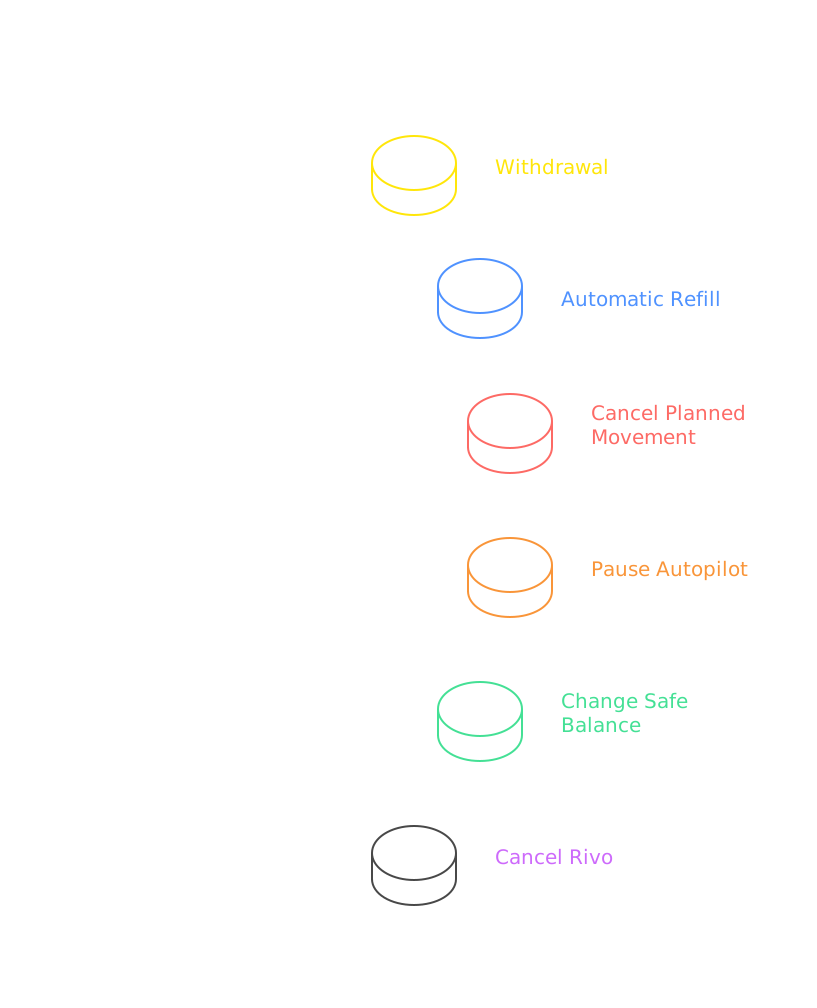
An automatic refill is bill-aware
Rivo is designed to plan around bills and move cash back before expected checking needs. That is different from a user deciding to withdraw money for a discretionary purchase, an unplanned expense, or a transfer to another purpose.
The product can use connected cash-flow information, but it cannot know every future event. A private loan, contractor payment, tuition deadline, tax estimate, home closing, or unusual card charge may require user action before the system has enough evidence.
A pause prevents additional automated activity
Pause Autopilot when the issue is not "I need this one amount back" but "My normal cash pattern is temporarily unreliable."
Good pause situations include:
- a payroll change
- travel with large card holds
- a home purchase
- a tax deadline
- medical spending
- a move
- a period of unpaid leave
- a temporary loss of account visibility
The current account controls allow Autopilot to be paused or deactivated through the product settings described here.
Cancellation is broader than a withdrawal
Cancellation stops active automations and initiates the return of funds to the linked bank under the current account-management process. Account-history access remains available.
Do not cancel when a one-time withdrawal or temporary pause solves the problem. Do not use a one-time withdrawal when you have decided to end the product relationship. The correct action depends on whether the need is one amount, one period, one setting, or the entire account.
How Do You Request a Withdrawal in the App?
Use a short preflight before confirming the request.
Step 1: Confirm the Destination Checking Account
Verify the linked checking account before moving money. Rivo currently supports one primary checking account for Autopilot earnings under the current account-connection terms.
Check:
- bank name
- account ending digits
- whether the account remains open
- whether the account is restricted or frozen
- whether ownership details still match
An outbound transfer to a closed or restricted account can be returned or delayed. Update account details through the supported process before an urgent need.
Step 2: Review the Available Amount
Compare:
- total account value
- available cash
- invested Treasury value
- pending purchases or sales
- pending withdrawals or refills
Do not submit overlapping requests against the same expected proceeds.
Step 3: Choose Transfer Funds
Open the transfer control and enter the amount. Current product terms allow a user-directed withdrawal of available funds up to $15,000 per day.
The amount should be based on the job the cash must do, not on the highest amount the app permits.
Step 4: Review the Request
Before confirming, verify:
- amount
- destination
- current date
- pending activity
- whether a Treasury sale may be required
- whether the payment deadline allows processing time
- whether the remaining Rivo and checking balances still fit your plan
Step 5: Save the Confirmation
Record:
- request date and time
- amount
- destination
- confirmation or reference
- displayed status
The record helps distinguish a new request from one already in process.
Step 6: Monitor Each Stage
Check the Rivo status, then the linked bank. A request is not complete merely because it was submitted.
Use the following status logic:
What Happens if the Money Is Invested in Treasury Bills?
Rivo uses short-duration U.S. Treasury Bills for eligible idle cash. Treasury Bills are marketable securities, which means they can be sold before maturity. TreasuryDirect explains that marketable Treasury securities can be transferred or sold before maturity.
When a withdrawal requires cash that is still invested, the operating path can include:
1. identify the Treasury position or positions to sell
2. submit and execute the sale
3. determine the sale proceeds
4. settle the transaction
5. make settled cash available for the outbound transfer
6. send the transfer to the linked checking account
A pre-maturity sale is not the same as maturity
Holding a Treasury Bill to maturity follows its stated maturity payment. Selling before maturity uses the secondary market. The sale price can reflect current market conditions, interest rates, liquidity, transaction mechanics, and the remaining time to maturity.
The Jiko Treasury risk disclosure explains that a position may be sold before maturity for a withdrawal and that an investment in a financial instrument involves risk. The relevant comparison is:
Do not describe an early Treasury sale as a penalty-free savings-account withdrawal. It is a securities transaction.
Early sale can change realized yield
The yield shown for a Treasury Bill assumes a defined price and holding path. If the position is sold early, the realized result depends on the sale price and applicable transaction costs.
This does not mean every early sale creates a loss. It means the final result cannot be assumed from the original hold-to-maturity yield.
Short duration reduces one problem but does not eliminate timing
Short-duration Treasury Bills keep maturity closer than long-duration bonds, which supports a liquidity-focused design. They still have trade, settlement, market, operational, and transfer mechanics.
The correct promise is access through a defined withdrawal process, not instant conversion of every invested dollar into checking cash.
What Are the Stages From Withdrawal Request to Checking Credit?
Treat a withdrawal as a chain of events rather than one event.
Trade date and settlement date are different
FINRA explains that trade date is when an order executes and settlement date is when the transaction is finalized. Government securities generally operate on a next-business-day settlement schedule under the current U.S. framework.
That next-business-day standard concerns the securities transaction. It does not guarantee that the complete withdrawal will be posted in the linked checking account on the same schedule.
Settlement and bank transfer are different
Settlement creates usable transaction proceeds inside the brokerage process. The outbound transfer then has its own processing path. The destination bank has another posting and availability process.
Use this sequence:
request -> sale if needed -> settlement -> outbound transfer -> bank receipt -> bank posting
Skipping a stage in your mental model creates unrealistic timing expectations.
Weekends and holidays matter
Business-day schedules affect securities markets and bank-transfer processing. A request near a weekend or holiday can cross more calendar days even when each system follows its normal business-day process.
Do not build an urgent Friday-night payment plan around a request that may require a securities sale.
How Long a Rivo Withdrawal Takes
There is no published guaranteed end-to-end timeline for every Rivo withdrawal.
That is the accurate answer because the path changes with:
- whether funds are already available
- whether Treasury Bills must be sold
- when a trade can execute
- securities settlement
- weekends and holidays
- bank-transfer processing
- destination-bank posting
- account review, verification, rejection, or return
Do not convert T+1 into a one-day withdrawal promise
The current next-business-day settlement framework is one component of the workflow. It does not include every event before and after settlement.
For example, a sale that executes on one business day may settle on the next business day under the standard described by FINRA. The bank transfer and destination posting still follow.
Use the payment deadline, not the withdrawal date
Start with the date the cash must be posted in checking. Work backward through:
- bank-posting margin
- transfer margin
- securities-settlement margin
- trade-execution margin
- daily-limit margin
- a contingency margin
If that backward plan reaches today, the money should already be in checking.
How Does the $15,000 Daily Withdrawal Limit Affect Large Transfers?
The current user-directed limit is $15,000 per day for available funds.
The limit affects how quickly a user can request a large amount even before considering sale, settlement, and transfer timing.
The following examples are illustrative arithmetic based on the current $15,000 daily limit. They are not arrival-time promises.
A limit is not a schedule
The table shows only how many daily request windows the arithmetic requires. It does not mean each request will arrive before the next request can be made, and it does not mean all requested funds are already available.
Large known payments should change the safe balance early
If a down payment, tuition payment, estimated tax payment, renovation draw, or other large obligation is known in advance, increase the amount kept in checking before the payment becomes urgent.
The safer workflow is:
1. identify the payment amount and date
2. keep the required same-day portion in checking
3. raise the safe balance
4. pause automation if the period is irregular
5. withdraw with enough business-day margin
6. confirm each credit before initiating the payment
Contact support when the planned need exceeds the standard workflow
Use the in-app support channel or support@rivofi.com when a large transaction, failed request, destination issue, or unclear account state needs review. Current support hours are listed as Monday through Friday, 9 AM to 5 PM Pacific.
Support availability is not a substitute for advance cash planning. Keep urgent funds outside a workflow that may require manual investigation.
Does Rivo Charge a Withdrawal Fee?
Do not assume a separate withdrawal fee or no withdrawal fee without reviewing the current account terms and the live transaction details.
The published Rivo management charge is a 0.05% monthly fee based on the average daily Rivo balance. That management fee is separate from the economic effect of selling a Treasury position before maturity.
The withdrawal decision can affect total value through several mechanisms:
Review the transaction confirmation
If Treasury positions are sold, the confirmation is the evidence for:
- security
- quantity
- execution date
- execution price
- proceeds
- applicable fees or charges
- settlement information
Do not estimate the realized result from the original displayed yield alone.
Avoid duplicate fee language
The Rivo management fee and the market effect of an early sale are different. A realized-yield change is not automatically a product withdrawal fee. A product fee is not the same as a market-price change.
When to Withdraw, Raise the Safe Balance, or Pause
Use the smallest control that solves the real problem.
Withdraw when the amount is known
Examples include a planned purchase, transfer to another account, or cash allocation that no longer belongs in the idle layer.
Raise the safe balance when the baseline changed
Examples include:
- higher rent or mortgage
- new childcare payments
- a larger recurring card statement
- new debt payments
- lower or more irregular income
- a larger comfort buffer
The safe balance is not a one-time onboarding answer. It is an operating setting.
Pause when the forecast is temporarily unreliable
Pause for unusual periods rather than forcing the automation to learn from incomplete or abnormal data while money is moving.
Cancel a planned movement when new information appears
Current movement controls provide notice at 5 PM Pacific and a cancellation window until midnight. Use that review period when a new bill, charge, or transfer changes the day's decision.
How Is Canceling Rivo Different From Withdrawing Money?
A withdrawal returns a selected amount. Cancellation ends the active product workflow.
Use cancellation when the decision is about the service, not merely this month's cash.
The current cancellation workflow states that funds are returned to the linked bank, active automations stop, and account-history access remains. The return can still involve liquidation, settlement, and transfer mechanics.
For the separate custody and service-continuity question, read What Happens to Your Money if Rivo Shuts Down?.
What Can Delay or Interrupt a Withdrawal
Most delay risks fit into 5 groups.
Duplicate requests
Submitting another request because the first one is not yet visible at the bank can create overlapping instructions or reconciliation confusion.
Check the first request's status before trying again.
Closed or incorrect destination account
A valid withdrawal cannot complete normally if the destination rejects the credit. Keep the linked account current.
Market interruption or operational outage
Treasury trading, brokerage systems, bank-transfer services, Plaid connectivity, the Rivo application, or a destination bank can experience disruption. The Jiko Treasury risk disclosure identifies operational, cybersecurity, liquidity, and market risks relevant to the Treasury account.
Security review
A review can be inconvenient, but it can also protect the account. Use only official support channels. Do not send credentials, verification codes, or sensitive account information to an unverified contact.
What to Do Before a Large or Urgent Withdrawal
Use this checklist before the payment date becomes close.
Confirm the cash job
- exact payment amount
- payment deadline
- payment method
- source checking account
- amount that must be available immediately
- amount that can arrive later
Confirm the Rivo state
- available cash
- invested Treasury value
- pending movements
- pending sales
- pending withdrawals
- linked checking account
- current safe balance
- current Autopilot status
Calculate the daily-limit requirement
Divide the required withdrawal by the current $15,000 daily limit, then round up to estimate the minimum number of request days. Treat that as only one component of the timeline.
Add processing margin
Add time for:
- sale execution if needed
- next-business-day securities settlement under the framework described by FINRA
- outbound transfer
- destination-bank posting
- weekends and holidays
- unexpected review or return
Change future automation
Raise the safe balance or pause Autopilot so the same cash need is not recreated after the withdrawal.
Keep evidence
Save the request confirmation, any trade confirmation, the Rivo status, and the bank credit.
Reconcile the final amount
Compare requested amount, sale proceeds if applicable, transferred amount, and bank-posted amount. Investigate any unexplained difference through the official support process.
How Protection Rules Apply During a Withdrawal
Protection depends on where the money is and what event occurred.
Rivo is a fintech company, not a bank. Banking services are provided by Jiko Bank, a division of Mid-Central National Bank, and U.S. Treasury investments and investment advisory services are provided by Jiko Securities, a registered broker-dealer and FINRA/SIPC member.
SIPC can protect eligible customer securities and cash at a failed member brokerage up to $500,000, including a $250,000 limit for cash claims, subject to applicable rules. SIPC does not protect market loss or guarantee investment performance.
The protection question should not be used as a timing shortcut. Customer ownership and withdrawal speed are different questions.
Who Rivo Withdrawals Suit Best
The withdrawal workflow fits users who understand that Rivo is an automated cash-management layer connected to an existing checking account, not an instant-spend account.
The best fit is not the person who never needs money back. It is the person who can distinguish immediate checking cash from recurring idle cash and plan withdrawals before deadlines.
Final Recommendation
Use Rivo withdrawals as a planned liquidity control, not as an instant-spend promise.
The reliable workflow is:
- Keep same-day and emergency cash in checking
- Set a conservative safe balance
- Review the live available amount
- Use Transfer Funds for a specific user-directed return
- Account for the current $15,000 daily limit
- Allow for a Treasury sale when funds are invested
- Distinguish trade execution from securities settlement
- Distinguish settlement from bank transfer and bank posting
- Confirm the linked-bank credit before using the money
- Raise the safe balance or pause Autopilot when the underlying cash need has changed
Rivo is designed to automate idle checking cash around expected bills while preserving user controls. The control system works best when the user does not force urgent cash through a process that can involve securities and bank-transfer stages.
For the full product lifecycle, read How Does Rivo Autopilot Work?. For the bank relationship, read Does Rivo Replace Your Bank?. For the cash-floor question, read Can Rivo Cause an Overdraft?.
FAQ
How Do I Withdraw Money From Rivo?
Open the Rivo app, choose Transfer Funds, enter the amount, and confirm the linked checking destination. Current product terms allow withdrawals of available funds up to $15,000 per day.
Are Rivo Withdrawals Instant?
Do not assume an instant arrival. Cash that is already available has a shorter path than cash invested in Treasury Bills, but the withdrawal can still involve processing, transfer, and destination-bank posting. Rivo does not publish a guaranteed end-to-end timeline for every request.
What Happens if My Money Is Still Invested in T-Bills?
Treasury positions may need to be sold before cash proceeds can be transferred. Treasury marketable securities can be sold before maturity, but the realized value and yield can differ from holding to maturity.
Can I Withdraw More Than $15,000 From Rivo?
The current user-directed limit is $15,000 per day for available funds. A larger total amount may therefore require requests across multiple days, plus time for any required sale, settlement, transfer, and bank posting.
Does a T-Bill Sale Settle the Same Day?
Trade execution and settlement are different events. Government securities generally operate on a next-business-day settlement schedule under the current framework explained by FINRA. That does not guarantee the complete withdrawal will reach checking on the settlement date.
Should I Withdraw or Pause Rivo?
Withdraw when you need a specific amount back. Pause when the normal cash pattern is temporarily unreliable or you want future automated activity suspended. Raise the safe balance when the recurring checking floor has changed.
What Happens When I Cancel Rivo?
Current account-management terms state that active automations stop, funds are returned to the linked bank, and account-history access remains. The return process can still involve liquidation, settlement, and transfer mechanics.
What Should I Do if a Withdrawal Is Delayed?
Check the live status, confirm the linked bank, preserve the request details, and use the official in-app support channel or support@rivofi.com. Do not submit duplicate requests until the first instruction's status is clear.
Related Rivo Reading
- To start with the product overview and regulated-partner structure, read What Is Rivo?.
- To follow setup, safe balance, sweeps, refills, and user controls, read How Does Rivo Autopilot Work?.
- To understand what remains at your existing checking account, read Does Rivo Replace Your Bank?.
- To connect withdrawal planning with the checking floor and bill timing, read Can Rivo Cause an Overdraft?.
- To understand custody, account ownership, and service-continuity scenarios, read What Happens to Your Money if Rivo Shuts Down?.

This article is educational and is not financial, investment, tax, accounting, or legal advice.
Yield rate reflects the 4-week T-bill rate when held to maturity. Rate does not include fees. Rates are subject to change. Minimum balance of $100 is required to earn the stated rate.
Rivo is a fintech company, not a bank. Banking services provided by Jiko Bank, a division of Mid-Central National Bank. Jiko Group, Inc. and its affiliates do not provide legal, tax, or accounting advice. You should consult your legal and/or tax advisors before making any financial decisions. This material is not intended as a recommendation, offer or solicitation for the purchase or sale of any security or investment strategy. See FINRA BrokerCheck, Jiko U.S. Treasuries Risk Disclosures and Jiko Securities Inc. Form CRS.
Investments in T-bills: Not FDIC Insured - No Bank Guarantee - May Lose Value. All U.S. treasury investments and investment advisory services provided by Jiko Securities, Inc., a registered broker-dealer, member FINRA and SIPC. Securities in your account are protected up to $500,000. For details, please see www.sipc.org.

Get Rivo Updates
Product news, money insights, and company updates.